Brutal Zip
A blazing-fast Windows ZIP utility focused on throughput and a smooth workflow. up to 20× faster than 7-Zip and WinRAR on multi-core systems. Free to use, with a 30-day Pro trial and a one-time Pro upgrade for the power-user tools.
Why Brutal Zip?
A modern ZIP utility built for throughput, not just compatibility.
3–15× Faster ZIP Creation
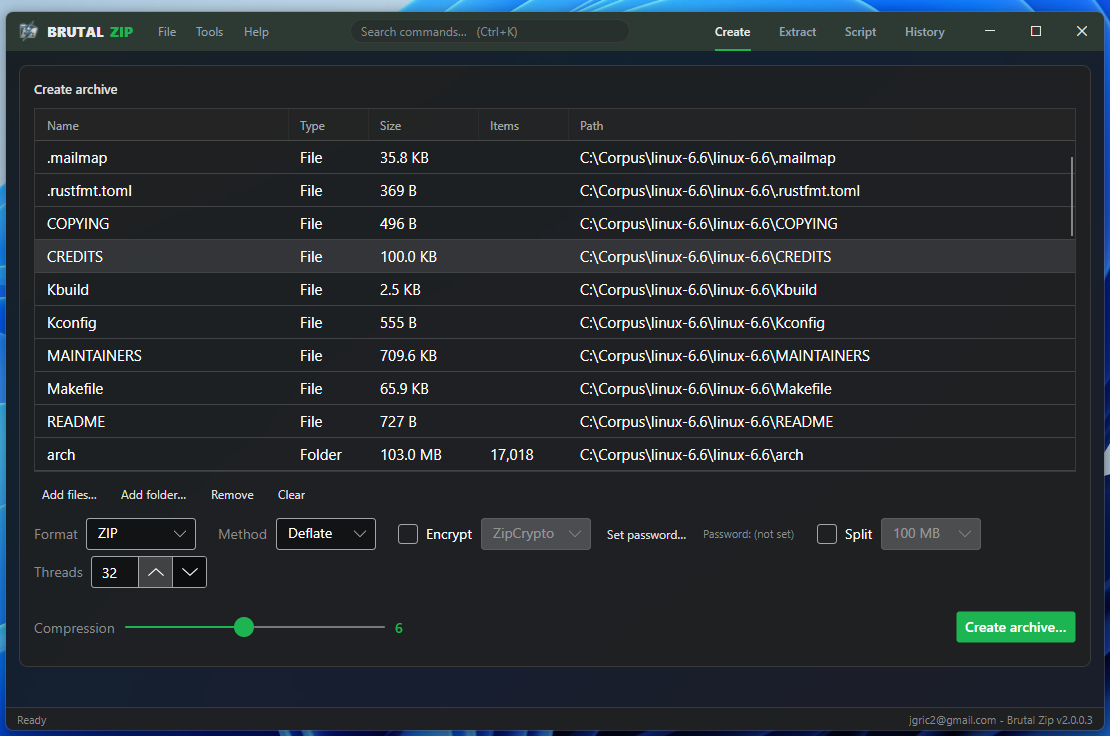
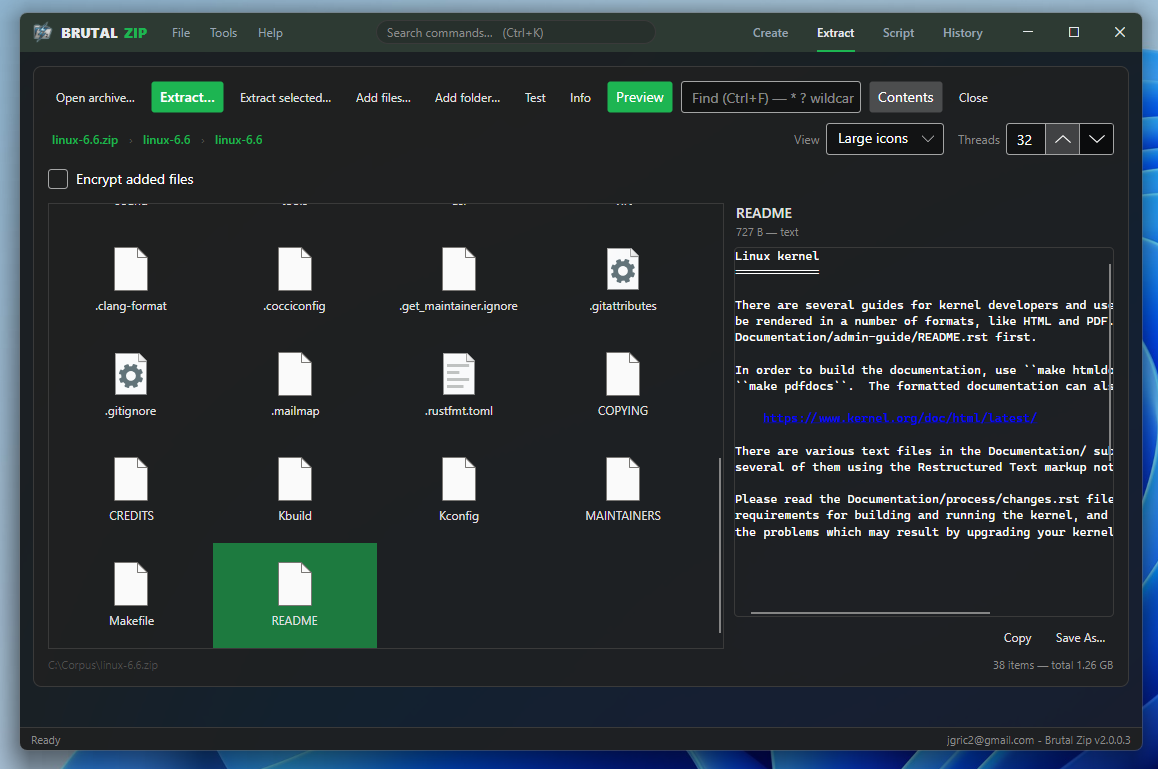
Powered by a custom native engine (BrutalDeflate) instead of zlib, with per-file parallelism. Files are compressed in parallel across all cores while output regions are pre-reserved to avoid lock contention. Small files take a one-shot fast path that skips streaming overhead entirely.
Every Major Format & Method
Deflate, Zstandard, and Store compression methods. AES-128, AES-192, AES-256, and ZipCrypto encryption. Per-type compression policies let you assign different strategies to different file extensions — compress documents, store already-compressed media, and skip tiny files automatically.
Full Archive Viewer & Preview
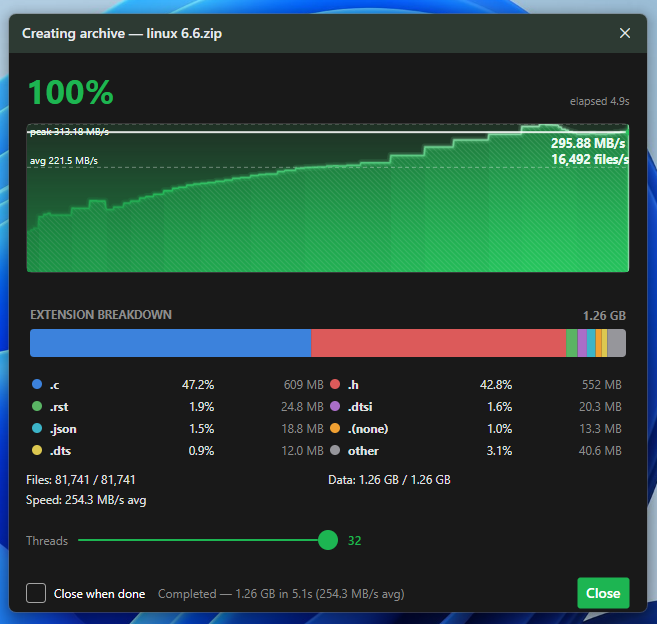
A virtualized file list with breadcrumb navigation, in-archive search, and in-place rename, move, and delete. The preview pane renders images, displays text, and shows binary files in hex — all without extracting to disk — and you can search inside files by content too.
Repair & Diagnostics
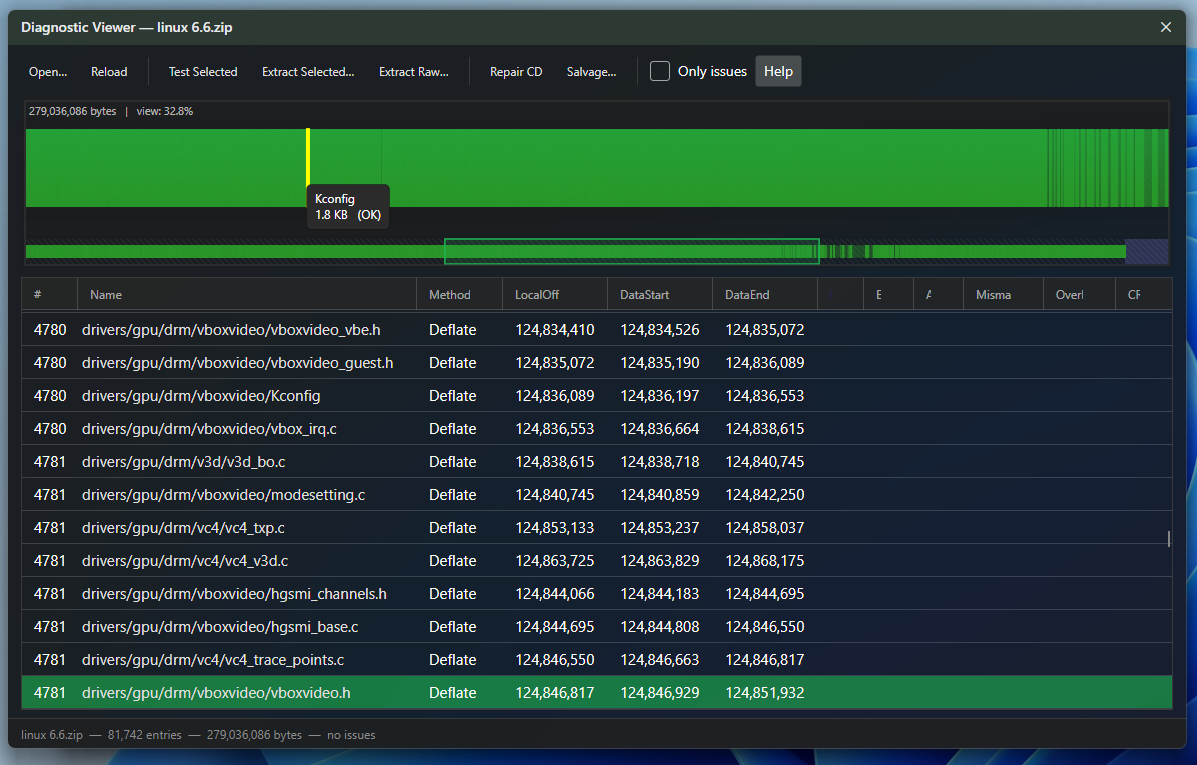
Multi-threaded archive integrity testing, central directory repair, and salvage extraction to a new archive for partially corrupted files. A visual byte-map diagnostic viewer shows the internal structure of any ZIP file — headers, compressed data, and directory records color-coded at a glance.
Works Inside Windows Explorer
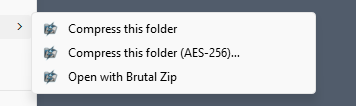
Cascaded right-click context menus for files, directories, and .zip archives. Create, extract and test directly from Explorer — no need to open the application first. Configurable menu entries let you show only the actions you use.
Features in Detail
Everything you need for ZIP compression, extraction, and archive management.
Compression
- Custom multi-threaded BrutalDeflate engine — 3–15× faster than zlib on multi-core CPUs
- Deflate, Zstandard, and Store compression methods
- Configurable compression level (1–12 for Deflate, 1–22 for Zstd)
- Per-file-type compression policies: assign method + level by extension
- Incompressibility detection: automatically switches to Store for already-compressed data
- One-shot fast path for small files (skips streaming overhead)
- Streaming block compressor for large files with bounded memory
- AES-128, AES-192, AES-256, and ZipCrypto encryption
- ZIP64 support for archives over 4 GB
- Unicode file name support (UTF-8 flag)
- Preserve NTFS timestamps (creation, modification, access)
Why Brutal Zip Is Fast
The short answer: native compression, file-level parallelism, and hardware-aware I/O. Here's the long answer.
Compression Engine
Brutal Zip uses its own BrutalDeflate engine instead of zlib for Deflate compression — a heavily optimized implementation that processes data in complete blocks rather than streaming, enabling SIMD acceleration and better branch prediction. The result is 3–5× faster compression at equivalent quality levels.
A two-tier compression strategy routes files based on size. Small files (under the configurable threshold) take a one-shot path that compresses the entire file in a single call — no streaming setup, no buffer management, no per-block overhead. Large files use a streaming block compressor with bounded memory that processes fixed-size chunks.
Incompressibility detection samples the first block of each file. If the compressed output is larger than the input (common for JPEG, PNG, MP4, and other pre-compressed formats), the file is immediately switched to Store mode, avoiding wasted CPU cycles.
See the Speed for Yourself
A head-to-head compression benchmark against 7-Zip, WinRAR, BandiZip, PeaZip, and Windows 11 across two very different corpora.
Same files, same drive — measured side by side, compress and decompress.
Performance
Four head-to-head tests — compression and extraction across two very different corpora. Shorter bar = faster.
Times are wall-clock to completion — shorter is faster. Same files, same drive, cold cache, each tool at its default settings. Results vary by hardware and file type.
How We Compare
22 capabilities compared across the leading Windows compression tools.
| Capability | Brutal Zip | 7-Zip | WinRAR |
|---|---|---|---|
| Native BrutalDeflate compression | ✓ Yes | ✗ No | ✗ No |
| Zstandard support | ✓ Yes | ✗ No | ✗ No |
| One-shot small file path | ✓ Yes | ✗ No | ✗ No |
| Incompressibility detection | ✓ Yes | ✗ No | ✗ No |
| Per-type compression policy | ✓ Yes | ✗ No | ~ Partial |
| AES-256 encryption | ✓ Yes | ✓ Yes | ✓ Yes |
| Streaming block compressor | ✓ Yes | ✗ No | ✗ No |
Free vs Pro
Brutal Zip is free to use. A one-time $16.99 Pro license unlocks the power-user tools — and every install starts with a 30-day Pro trial.
Free
Everything you need for everyday archiving — forever, no account required.
- Create & extract ZIP, TAR & RAR
- Deflate, Zstandard & Store + AES / ZipCrypto encryption
- Split / multi-part archives
- Archive viewer, preview pane & in-archive search
- Integrity test, archive info & recent list
- Read-only diagnostics (structure & byte-map viewer)
- Password recovery for forgotten ZIP passwords
- Windows Explorer menu integration
- Up to 4 compression threads
Pro $16.99 · one-time
Everything in Free, plus the power-user toolkit. Portable — use it on all your machines.
- Uncapped multi-threading — every CPU core, full speed
- Scripting & automation with the built-in IDE & debugger
- Archive repair — central-directory repair & salvage
- Setup Wizard — guided create & extract
- Compare Archives side by side
- Summarize with AI
- Portable license — activate on every machine you own
Not ready to buy? Every install starts with a 30-day Pro trial (all features, free) — and you can extend it another 30 days by sending feedback.
Download
The core app is free. Unlock Pro features with a one-time license — or try Pro free for 30 days.
Brutal Zip
FreeSystem Requirements
- Windows 10 or 11 (64-bit)
- No runtime required — self-contained
- ~150 MB disk space
Installation Notes
- Run the installer as Administrator to enable the Explorer context-menu integration.
- No .NET runtime to install — Brutal Zip is fully self-contained (Native AOT) and runs out of the box on Windows 10 and 11.
- Shell integration and the optional Windows Defender exclusion can be managed from Settings → Explorer.
- The Mica window backdrop (Settings → Application Theme) requires Windows 11.
Looking for a previous version? View legacy downloads
Looking for File Copy Power?
Check out Brutal Copy 2 — the fastest file operations platform on Windows.
Explore Brutal Copy 2