Limintel — Professional File Management Software
Fast, reliable file operations for Windows. A world-class copy engine, multi-algorithm hashing, and a full scripting language — in one professional platform.
Copy-speed benchmark vs Windows 11, RoboCopy, TeraCopy, FastCopy & Ultra Fast Copy — same files, same drives.
Our Products
Professional file management tools built for power users and enterprises.
Brutal Copy 2
ProThe fastest copy engine on Windows, with multi-algorithm hashing and verification, a 75-command scripting language, and deep shell integration — and more tools on the way.
Explore Features
Brutal Zip
FreeFast, modern file compression and extraction. All major archive formats with a clean, intuitive interface.
Learn MoreWhy Brutal Copy 2?
Built from the ground up for speed, reliability, and professional workflows.
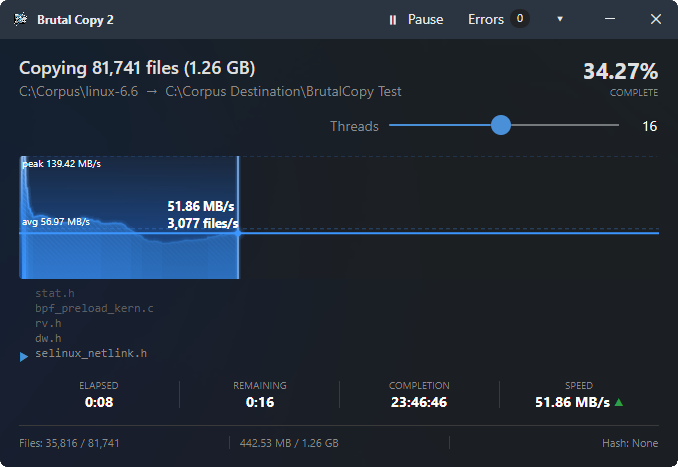
Copy Files 3-25x Faster
Every file is routed through purpose-built code paths based on its size. Files under 85 KB copy with zero heap allocation. Large files get a pipeline tuned for your specific drive. The result: measurably faster than Windows Explorer on every workload.
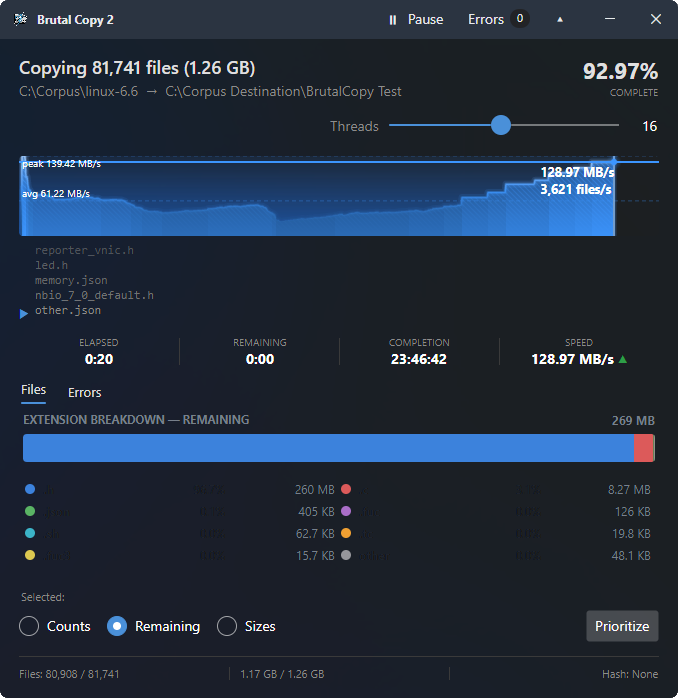
Take Control Mid-Copy
Expand the progress window for a live breakdown of everything in flight — file counts, sizes, and remaining data for every file type in the job. Need your documents before your thumbnails? Select a file type and hit Prioritize, and the engine reorders the remaining queue on the spot. No pausing, no restarting.
Automate Any File Operation
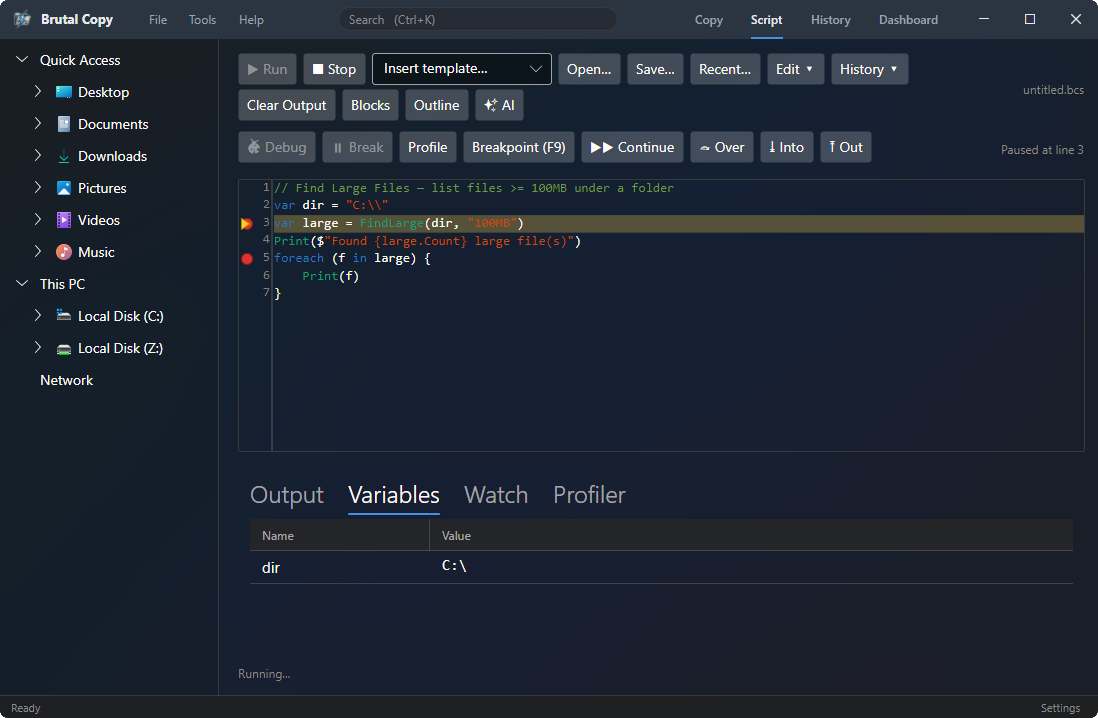
A 75-command scripting language with syntax highlighting and a visual block editor. Script it once, run it forever — with or without the GUI.
A Command Center, Not a Dialog Box
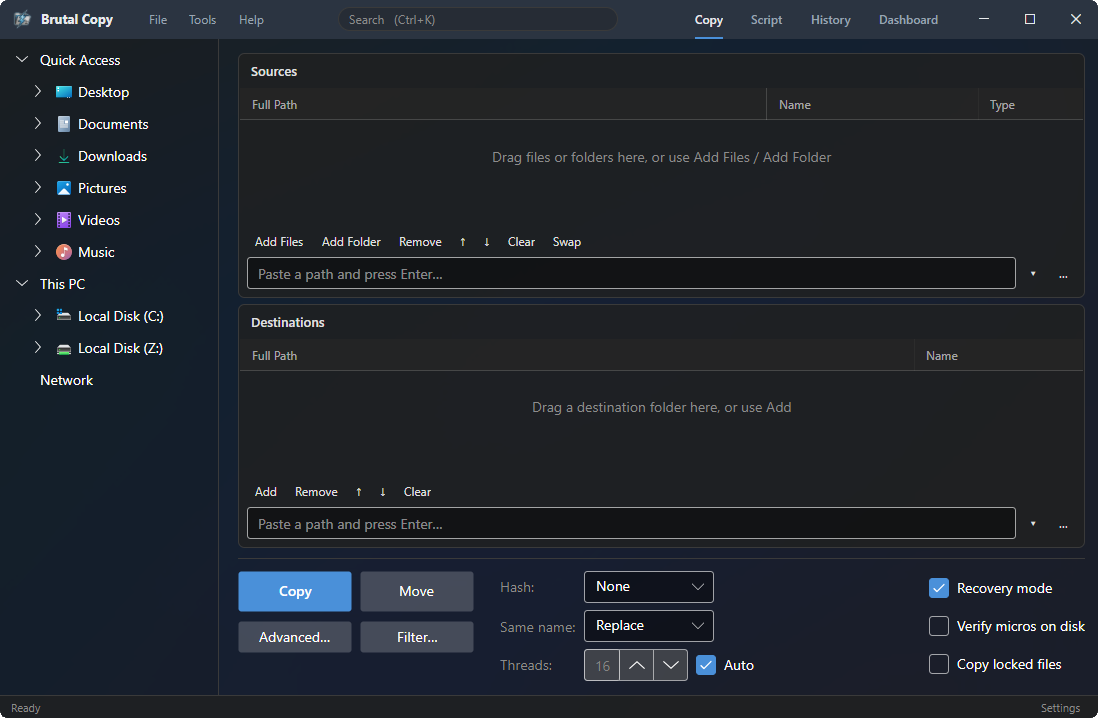
The main window is a full workspace. Browse your drives in the built-in explorer, queue multiple sources to multiple destinations, and set hashing, conflict handling, filters, and thread count before a single byte moves. Recovery mode and locked-file copying are one checkbox away — with Script, History, and Dashboard a tab apart.
Works Inside Windows Explorer
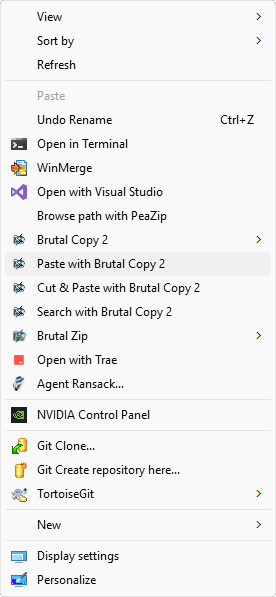
A native shell extension for the Windows 11 context menu, drag-and-drop handling, and copy hook integration. Right-click to copy with Brutal Copy — no extra steps.
From the Founder
I'm James Grice, and I've spent almost eight years on Brutal Copy chasing a single question: how fast can copying files actually be?
It started with an ordinary, stubborn problem — copying thousands of small files to a network share, over and over. Eventually I hit a breaking point. There had to be a faster way, a better way. So I started tinkering.
What followed was eight years of trial and error: trying ideas people said wouldn't work, chasing a few percent here and a few percent there, taking no shortcuts — chipping away at what the hardware is truly capable of. Each small win pushed me harder. Where most people throw their hands up and say “it is what it is,” I couldn't let it go — I always knew there was more performance to squeeze out. Those gains compounded, year after year, into the engine Brutal Copy runs on today.
— James Grice, Founder, Limintel