Brutal Copy 2
A high-performance file operations platform for Windows. The fastest copy engine, multi-algorithm hashing and verification, a 60+-command scripting language, and deep Windows shell integration — with more tools on the way.
Why Brutal Copy 2?
Built from the ground up for speed, reliability, and professional workflows.
Copy Files 3–25x Faster
Every file is routed through purpose-built code paths based on its size. Files under 85 KB copy with zero heap allocation using raw kernel handles. Large files get a triple-buffered overlapped pipeline tuned per device — NVMe, SSD, HDD, or network. The result: measurably faster than Windows Explorer on every workload.
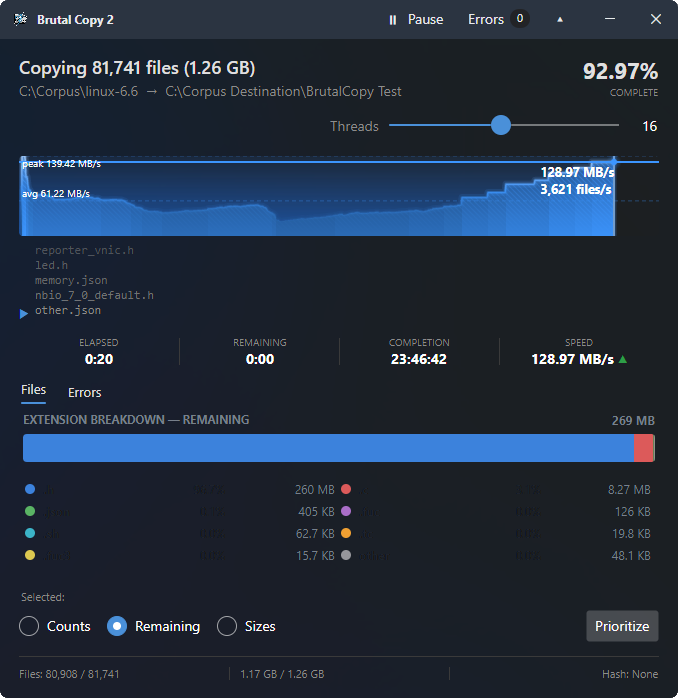
Every Operation, Accounted For
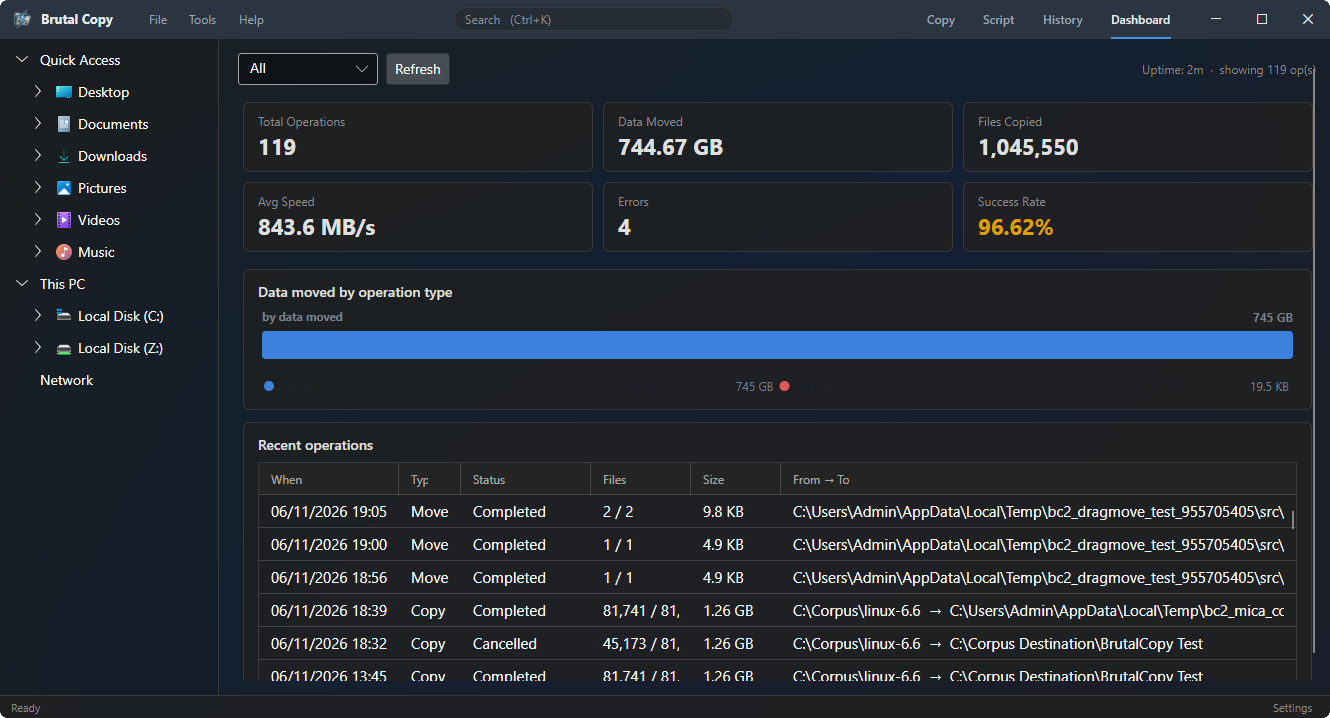
The Dashboard turns your copy history into numbers — total operations, data moved, files copied, average speed, errors, and success rate — with a breakdown of data moved by operation type. A recent-operations log records every job: when it ran, what moved where, and how it finished. When a copy matters, you have the receipts.
Automate Everything with 60+ Commands
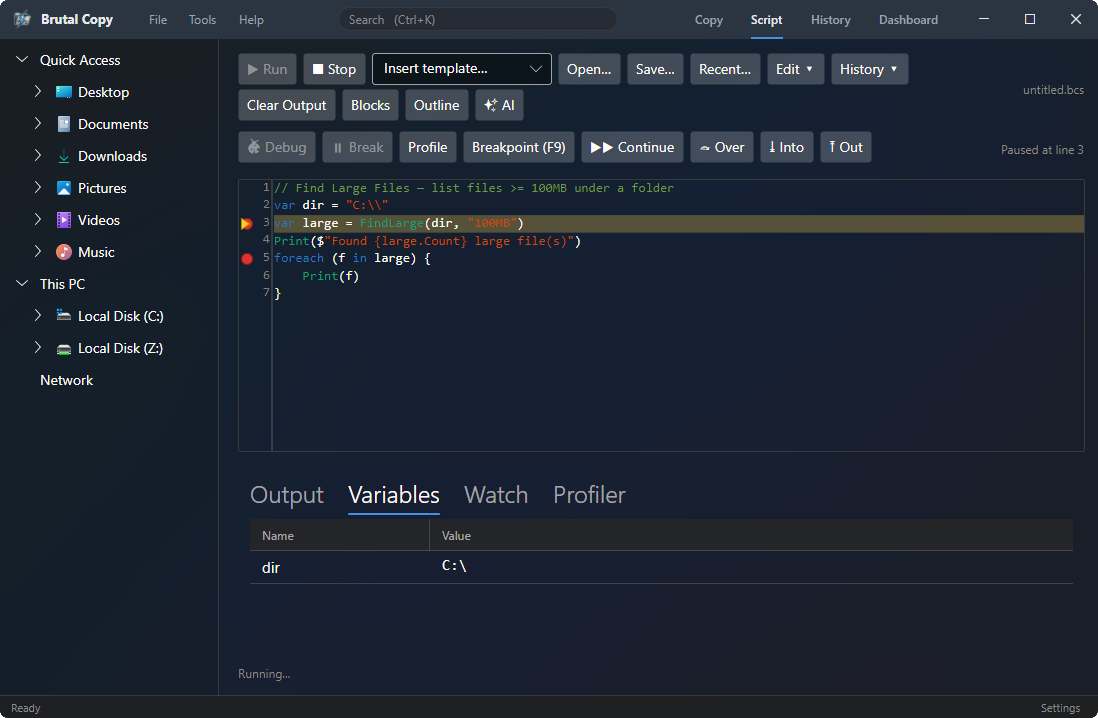
A full scripting language purpose-built for file operations. Copy, move, hash, compress, rename — chain any combination with variables, loops, and conditionals. Write scripts in a syntax-highlighted editor with real-time autocomplete, or build them visually with the drag-and-drop block editor. Schedule headless execution from the command line, or prompt AI to generate scripts for you.
Built-in File Tools
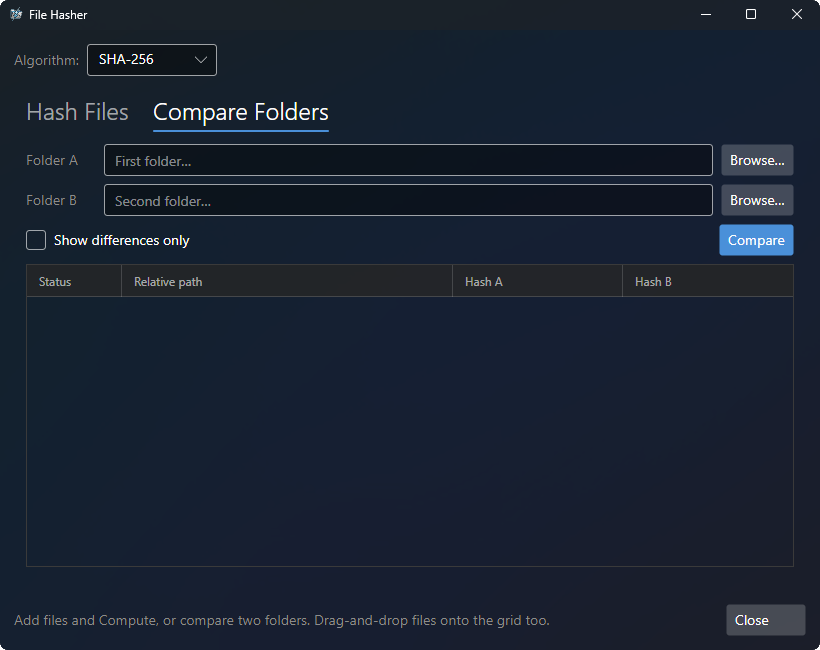
A file hasher with 9 verified algorithms (BLAKE3, SHA-256/384/512, SHA-1, MD5, CRC32, CRC32C), secure delete with multiple wipe methods, and an extended file-properties viewer — built in today. Batch rename, disk analyzer, duplicate finder, hex viewer and more are returning in upcoming updates.
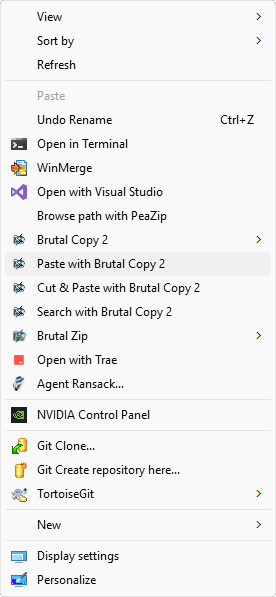
Works Inside Windows Explorer
A native C++ shell extension for the Windows 11 modern context menu and drag-and-drop. Right-click to copy or move with Brutal Copy — no extra steps. Zero runtime dependencies with static CRT and ATL linking.
Sync Folders in Real Time Coming soon
Four sync modes (Mirror A→B, Mirror B→A, Two-Way, Update) with three compare methods. A banded grid view shows every file with directional arrows you can click to override. Enable real-time watch mode and folders stay in sync automatically. Returning in an upcoming update.
See the Speed for Yourself
A head-to-head copy benchmark against Windows 11, RoboCopy, TeraCopy, FastCopy, and Ultra Fast Copy across a range of real-world workloads.
Same files, same drives — measured side by side under multiple conditions.
Platform Features
Every file tool you need in one professional application.
Advanced I/O Pipeline
- Size-first dispatch: Zero, Micro (≤85 KB), Small (85 KB–4 MB), Large (>4 MB)
- Zero-allocation micro-file path using stackalloc and raw kernel handles
- Triple-buffered overlapped pipeline tuned per device type
- 9 inline hash engines: BLAKE3, SHA-256, SHA-384, SHA-512, SHA-1, MD5, CRC32, CRC32C, and no-hash fast path
- Multi-destination: read once, write to many targets simultaneously
- VSS snapshot support for locked files
- Recovery mode with periodic checkpoints for crash resilience
- 6-mode conflict resolution: Overwrite, Overwrite if Newer, Overwrite if Larger, Rename, Skip, Ask
- Locked file detection with skip, unlock, or VSS fallback options
- Semaphore-based thread pooling with configurable concurrency
- Defender exclusion: temporarily excludes paths from real-time scanning during copy (WMI + PowerShell + Registry fallback)
- NTFS metadata preservation: timestamps, attributes, junctions, symlinks
- Taskbar progress integration with real-time speed graph
Performance
Real-world copy benchmarks across six workloads — Brutal Copy 2 finished first in every one (times shown; lower is faster).
Times are mm:ss (or h:mm:ss); the multiplier is how much longer each tool took versus Brutal Copy 2. Workloads include the Linux 6.6 and LLVM source trees (many small files) and gemma .gguf model files (large files). Results vary by hardware.
Reproduce it yourself
Don't take our word for it. Download the exact files we tested, extract the archives, and copy them between the same drive types. We clear the OS file cache between runs so every tool starts cold — run it on your own hardware and compare.
- Linux 6.6 source (many small files) — linux-6.6.tar.xz
- LLVM 18.1.8 source (many small files) — llvmorg-18.1.8.tar.gz
- Gemma model (one large file) — gemma-4-E2B-it-BF16.gguf
Trusted by Professionals
Real feedback from IT professionals using Brutal Copy.
Outstanding application. Speed is insanely fast
How We Compare
25 capabilities compared across the leading Windows file copy tools.
| Capability | Brutal Copy 2 | TeraCopy | FastCopy | robocopy |
|---|---|---|---|---|
| Size-aware I/O dispatch | ✓ Yes | ✗ No | ✗ No | ✗ No |
| Zero-alloc micro-file path | ✓ Yes | ✗ No | ✗ No | ✗ No |
| Raw P/Invoke I/O | ✓ Yes | ✗ No | ✓ Yes | ✗ No |
| Overlapped I/O pipeline | ✓ Yes | ✗ No | ✓ Yes | ✗ No |
| 9 inline hash engines | ✓ Yes | ~ Partial | ~ Partial | ✗ No |
| BLAKE3 hashing | ✓ Yes | ✓ Yes | ✗ No | ✗ No |
| Multi-destination copy | ✓ Yes | ✗ No | ✗ No | ✗ No |
| VSS snapshot copy | ✓ Yes | ✓ Yes | ✗ No | ✗ No |
| Defender exclusion | ✓ Yes | ✗ No | ✗ No | ✗ No |
Pricing
Every plan starts with a free 30-day trial — up to 60 days with feedback, no card required.
- All features included
- Always up to date
- Priority email support
- Cancel anytime
- 30-day money-back guarantee
- All features included
- 1 year of free updates
- Perpetual license
- Free 30-day trial - try before you buy
- Volume licensing
- Priority support
- Custom deployment
- SSO integration
Prices shown in USD. See full pricing & volume discounts for other currencies and multi-seat plans.
Download
Free 30-day trial. No credit card required.
Brutal Copy 2
ProSystem Requirements
- Windows 10 (22H2)/11 64-bit
- No .NET runtime required (self-contained)
- 100 MB disk space
Installation Notes
- Run the installer as Administrator for shell integration features.
- No .NET runtime to install — Brutal Copy 2 is fully self-contained (built on .NET 10 with Native AOT) and runs out of the box on Windows 10 (22H2) and Windows 11.
- For portable mode, extract to any folder and place a
portable.flagfile next to the exe. - Enterprise deployments can use
brutalcopy register-shellfrom the command line.
Looking for a previous version? View legacy downloads for perpetual license holders.
See Pricing